Our top product updates: Enhance payments, revenue, and billing
Product
16 Dec 2025
4 min

Artem Sadurskyy
Chief Product Officer, Solidgate
Evidence enrichment, mass payments, and smarter billing – learn how Solidgate’s latest updates help you recover revenue, streamline payment processes, and improve subscription management.
In this release of the latest updates to Solidgate, we’ve introduced new tools to strengthen your dispute cases, simplify payments, improve billing and reporting, streamline search in documentation, and more. Here's what's new.
You can track all updates in our .
Strengthen your dispute cases with Evidence enrichment
We’ve upgraded our module with Evidence enrichment. This feature lets you strengthen your dispute cases with additional proof before submission and reclaim more revenue.
Our system continues to automatically generate a tailored dispute package. However, you can now upload additional evidence – such as usage logs, delivery confirmations, invoices, or communication proofs – during a defined review window. This can be done directly in the .
API integration coming soon.
Check the demo below to watch a live flow.
Learn more in our .
Introducing mass payments via SWIFT
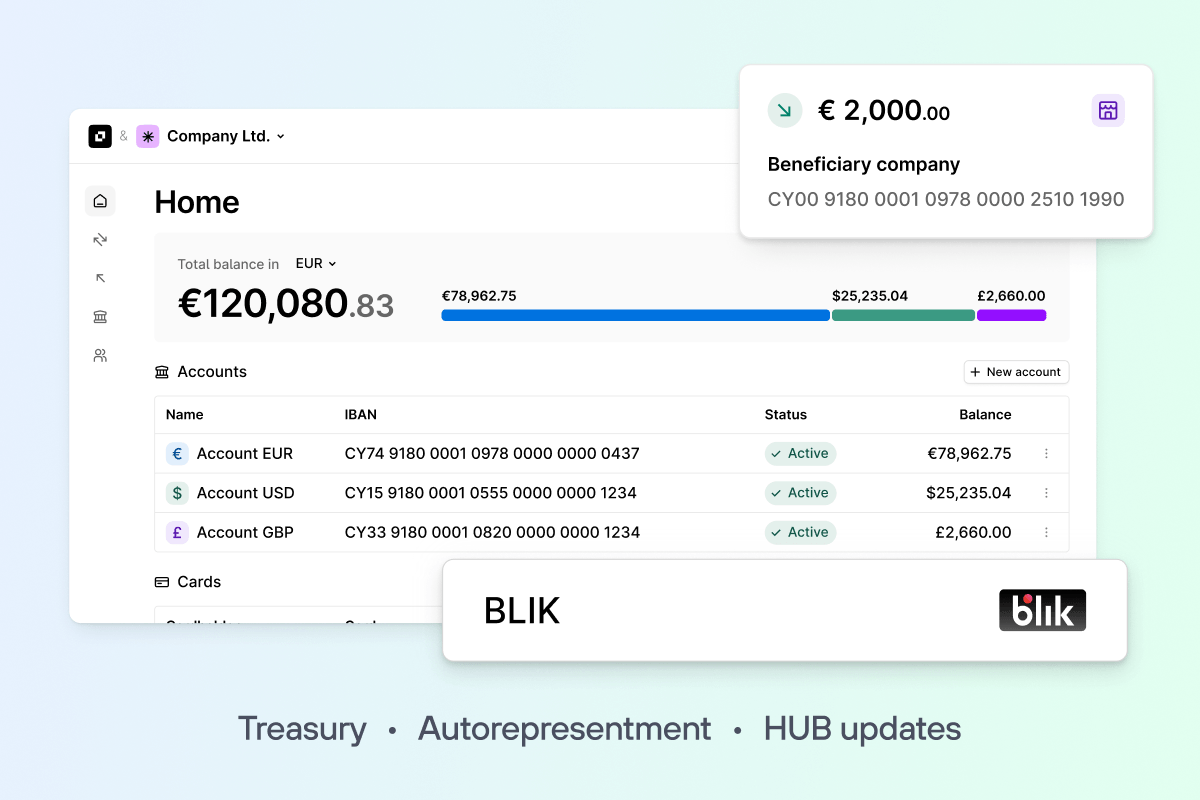
We’re enhancing mass payments by introducing a universal template for SEPA, SWIFT, and internal transfers. Perfect for payroll, payouts to platform users, and payments to counterparties.
How it works:
- Upload a file with payment instructions to create a batch and process up to 500 payments in seconds.
- Review payment details before sending. Easily edit and delete payments from the batch.
- Approve mass payments via 2FA and get the same level of security with lightning speed.
Note: All payments processed via the mass payments will also be displayed in the Payments section.
Access settlement reports per settlement in Hub
You can now download a transaction-level CSV report for each auto-settlement in both the Acquiring and models.
Key improvements:
- Downloadable CSV report available on the page
- Includes all transactions within the specific settlement
- Provides a single source of truth for payout reconciliation
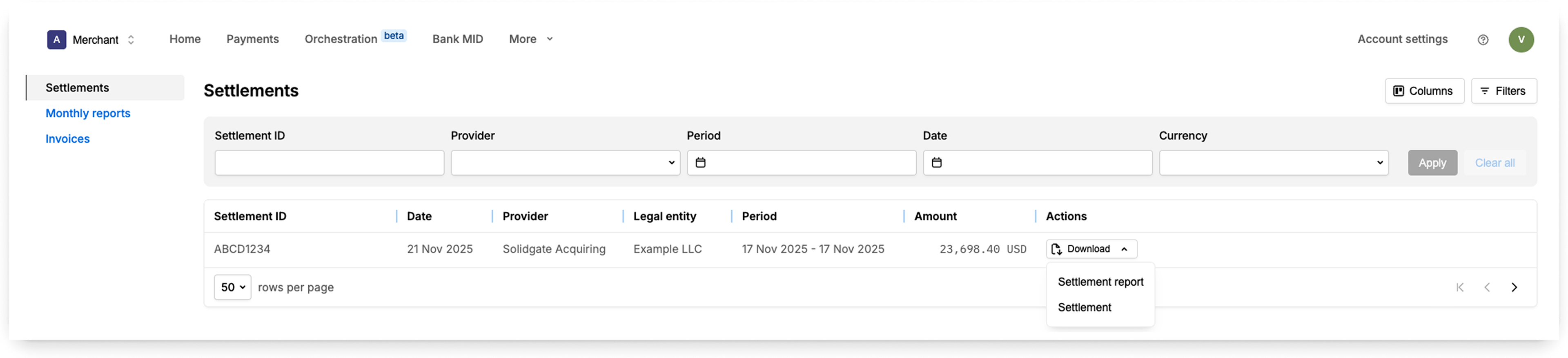
This update simplifies settlement verification and reduces the need to check multiple sources when reconciling payouts.
Learn more in our .
Boost revenue recovery with enhanced Smart retries
You can now increase revenue recovery by configuring with more attempts and applying strategic discounts at key retry attempts.
What’s new:
- Up to 8 retry attempts: Configure up to eight retry attempts to test more aggressive dunning without rebuilding flows elsewhere.
- Discounts on retry attempts: Increase lifetime value (LTV) and reduce churn by offering discounts on retry attempts, helping retain customers while recovering revenue that would otherwise be lost.
- Dedicated settings: A new Smart retries tab in Billing settings makes it easier to configure and manage your revenue recovery strategy in one place.
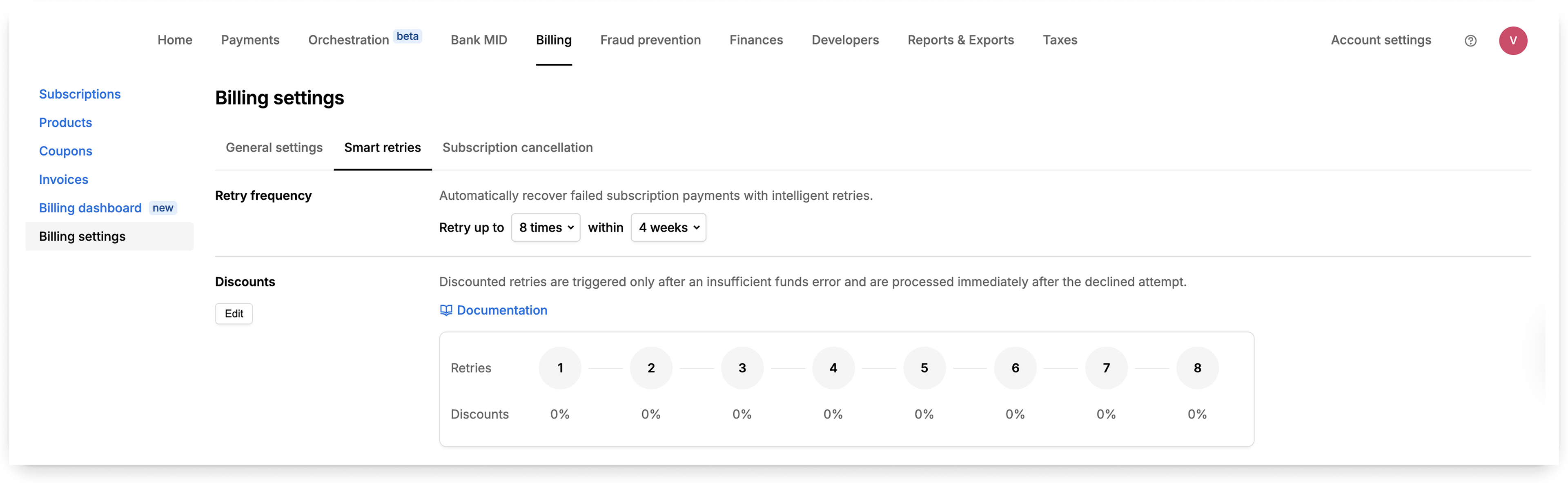
To get started, go to Hub → Billing settings → Smart retries and set a discount % for the preferred retry attempts.
For more details, check out our .
Expand cancellation options with alert-based settings
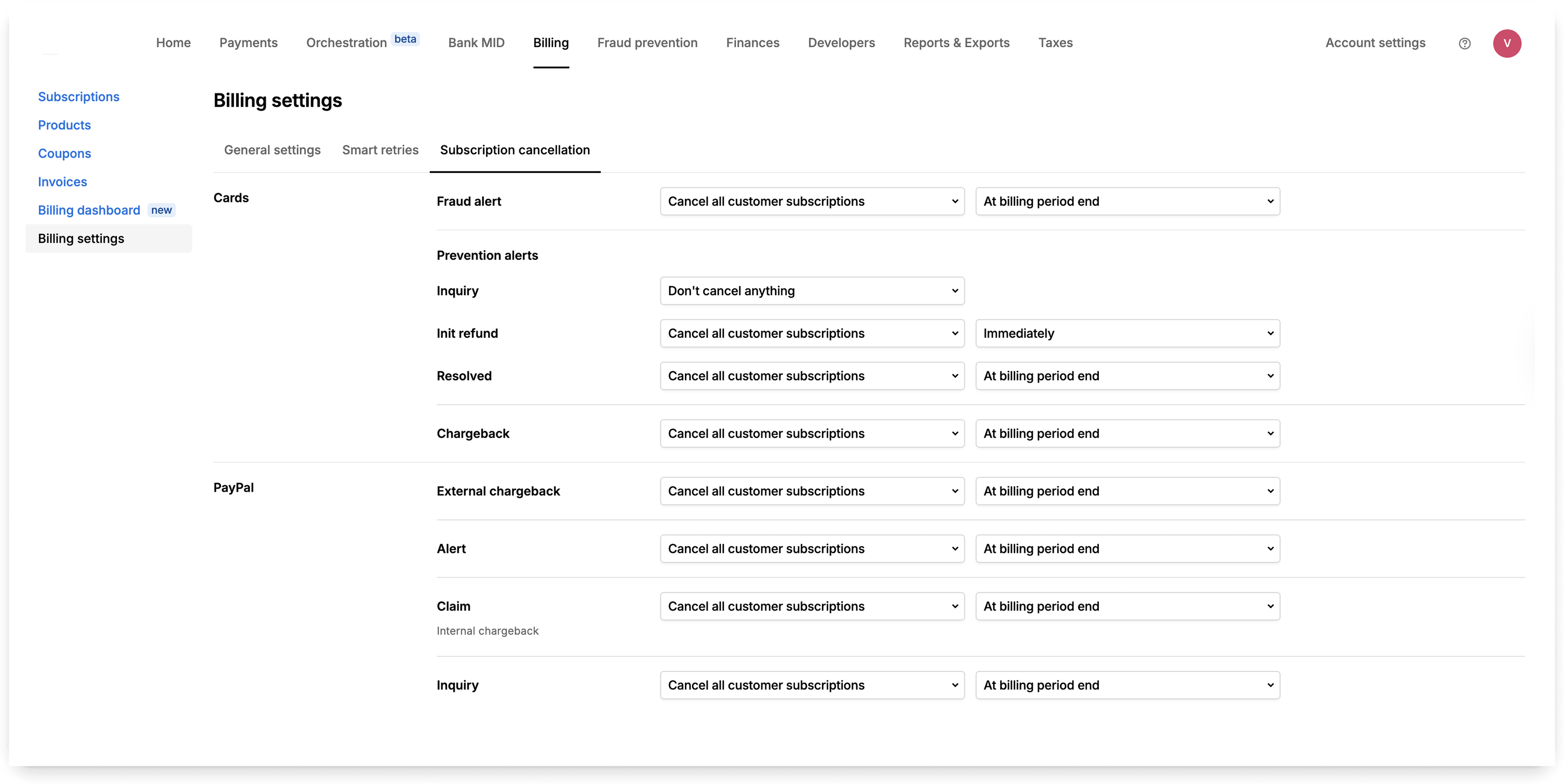
We’ve enhanced Subscription settings with a new option to only cancel subscriptions related to the alert, instead of all active subscriptions.
What’s new:
- New option to cancel only the subscription tied to the alert
- Improved UI for alert-based configuration in Hub → Billing → Billing settings
- Full support for both immediate and end-of-period cancellation
Key benefits:
- Reduce involuntary cancellations
- Keep paying customers active
- Minimize manual work when handling alerts
- Retain more healthy subscriptions
Learn more in our .
Track cancellations in Billing dashboard
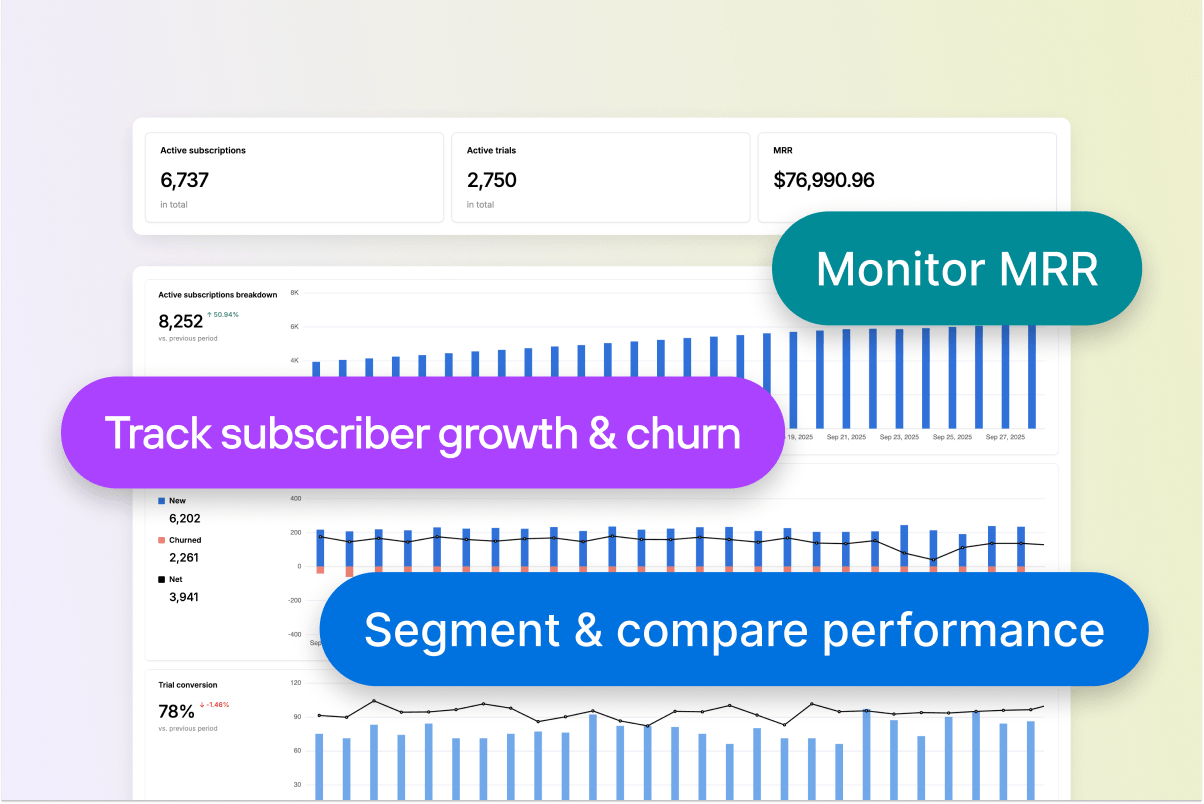
We’ve added a new chart to the where you can track the percentage share of each cancellation reason over time. This feature helps you identify trends and spikes in cancellation reasons, so you can take proactive steps to reduce churn and improve retention.
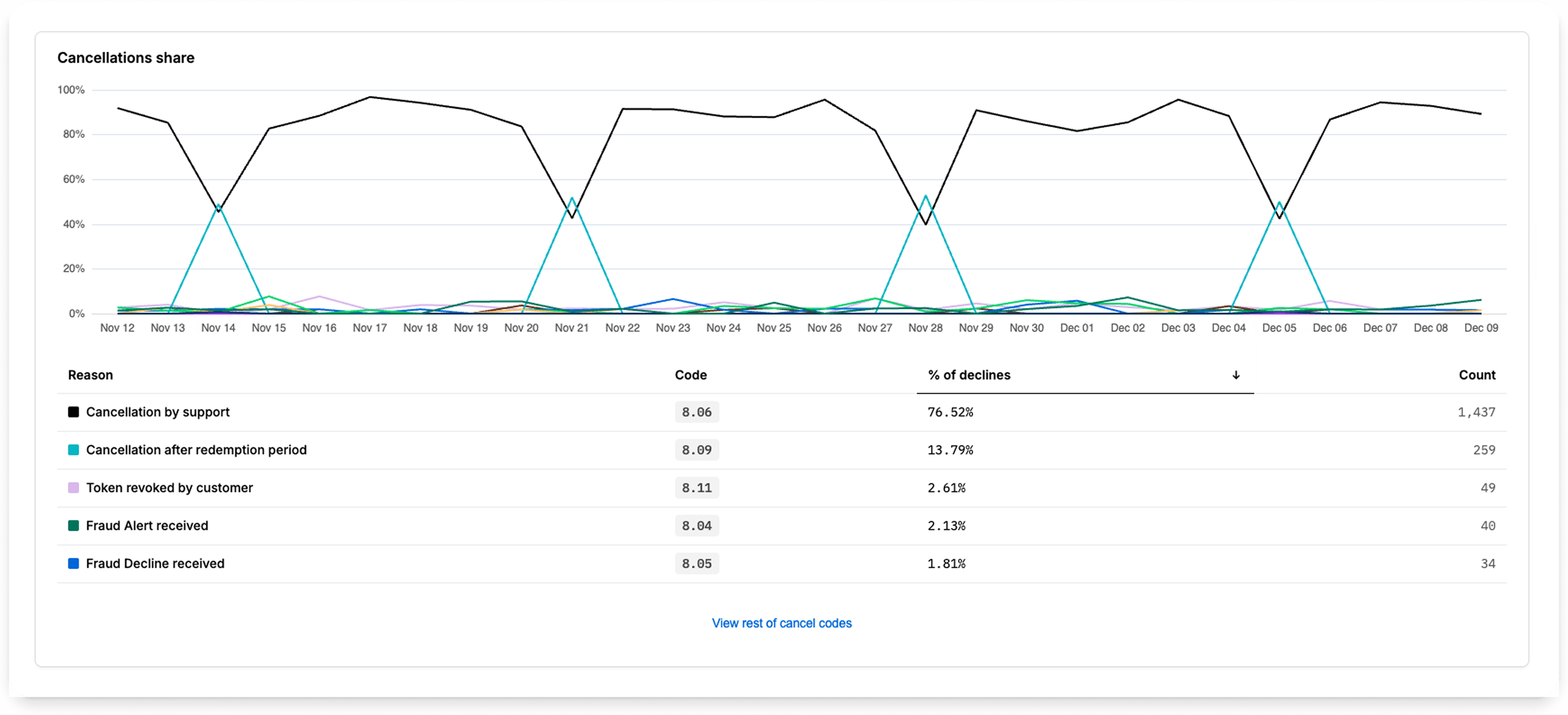
Check out in the .
See applied coupon details in Subscription and Invoice pages
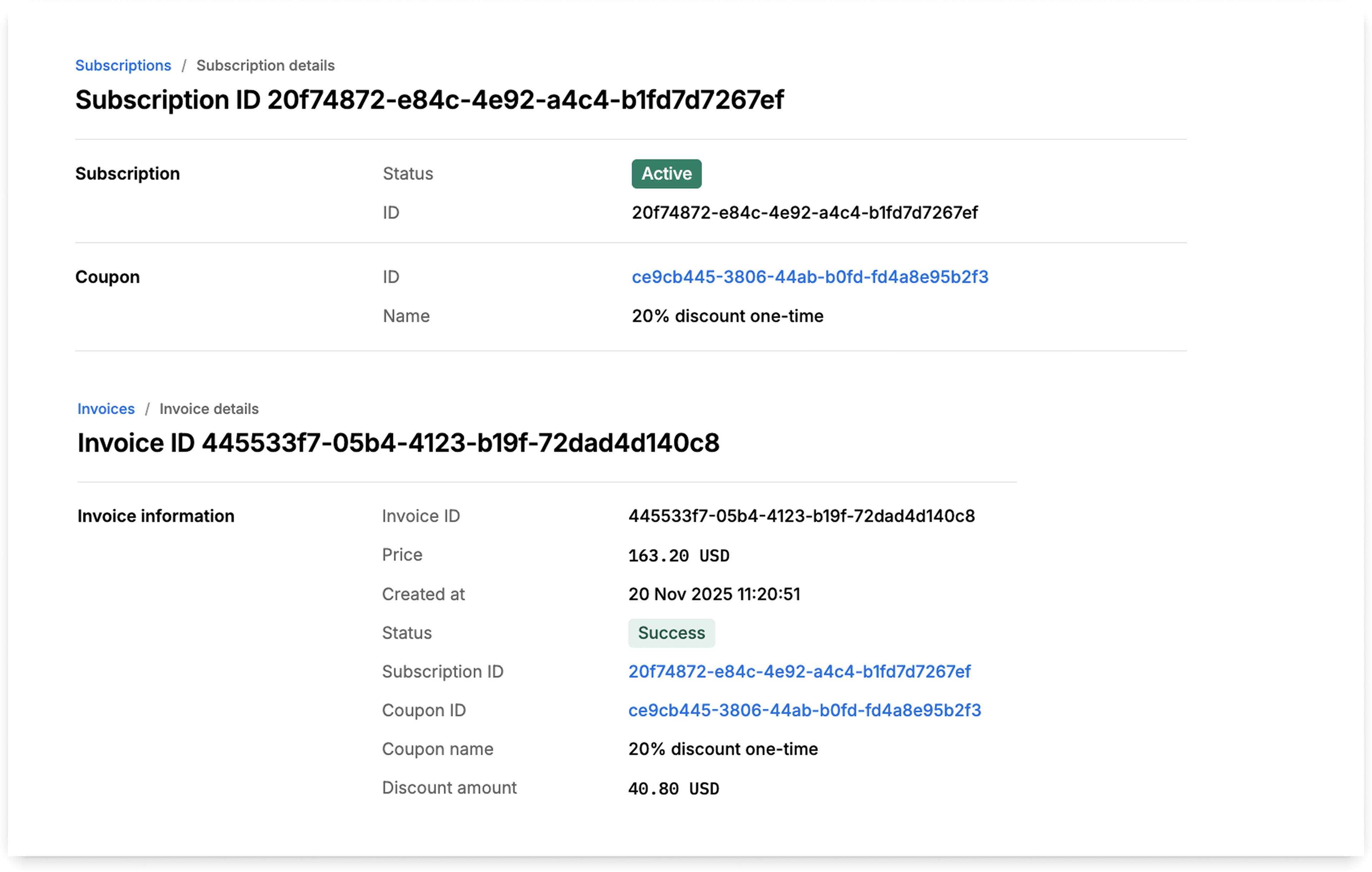
Coupon and discount information is now available in the . You can view the Coupon ID and Name on the Subscription and Invoice details pages, and the discount amount is displayed on the invoice details page. This provides clear visibility into applied discounts, helping you streamline reporting and improve financial accuracy.
Find answers faster with AI-powered search in documentation
We’ve introduced AI-powered search across and . The new search understands your intent and delivers instant context-aware answers.
What's new:
- Smarter hierarchy and ranking for more precise section results
- Tolerance to typos and recognition of synonyms
- AI assistant answers complex questions instantly
These improvements help you launch faster and let internal teams move quickly from discovery to action. Give it a try!
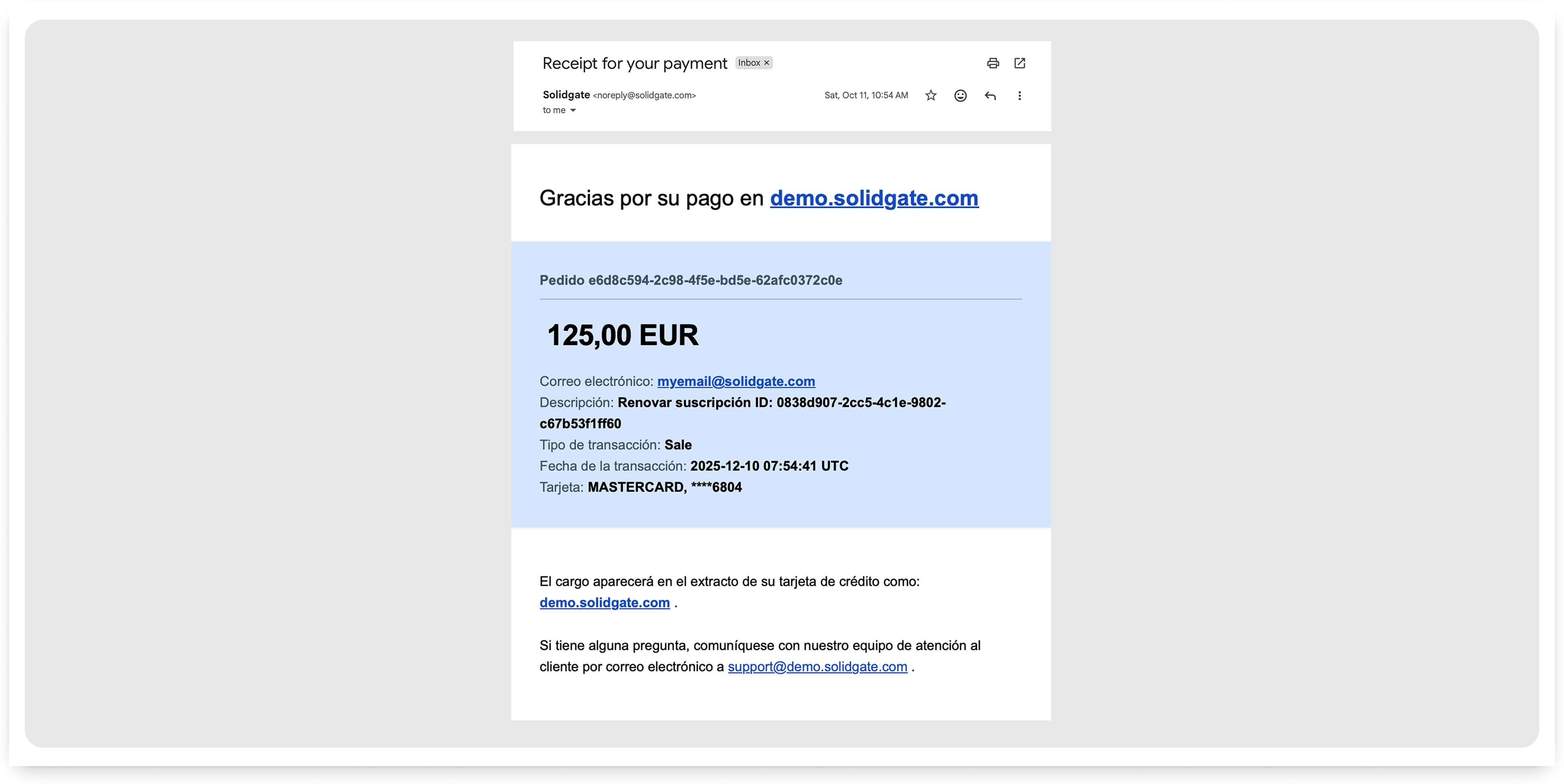
Offer multilingual payment receipts
You can now send payment receipts in multiple languages – in addition to English – to increase accessibility for global customers.
How it works:
- You can control the email language by passing the
languageparameter in the payment API request. - If the provided language isn’t supported, the system defaults to English.
Learn more in our .
Thank you for checking what’s new. For a complete overview, check our and stay updated on .