
Payment links for businesses: How to start with them?
Product
6 Jan 2026
11 min

Artem Sadurskyy
Chief Product Officer, Solidgate
Payment links offer a fast, simple way for businesses to collect payments online without a full e-commerce platform. In this guide, we explore the benefits, limitations, and how to set up payment links for your business.
Payment links are a simple and fast way for businesses to collect payments online, regardless of the channel you use to communicate with your customers. Whether you're emailing invoices, texting quotes, or selling through social media, a payment link makes it easy for customers to pay instantly.
In this guide, we'll explain:
- What payment links are and how they work
- The pros and cons of using them
- How payment links compare to payment forms
- Key payment link providers with global reach
- How to choose the right provider
- How to set up your payment links effectively
By the end, you'll have a solid understanding of how payment links can fit into your business model and which solution works best for your needs.
What is a payment link?
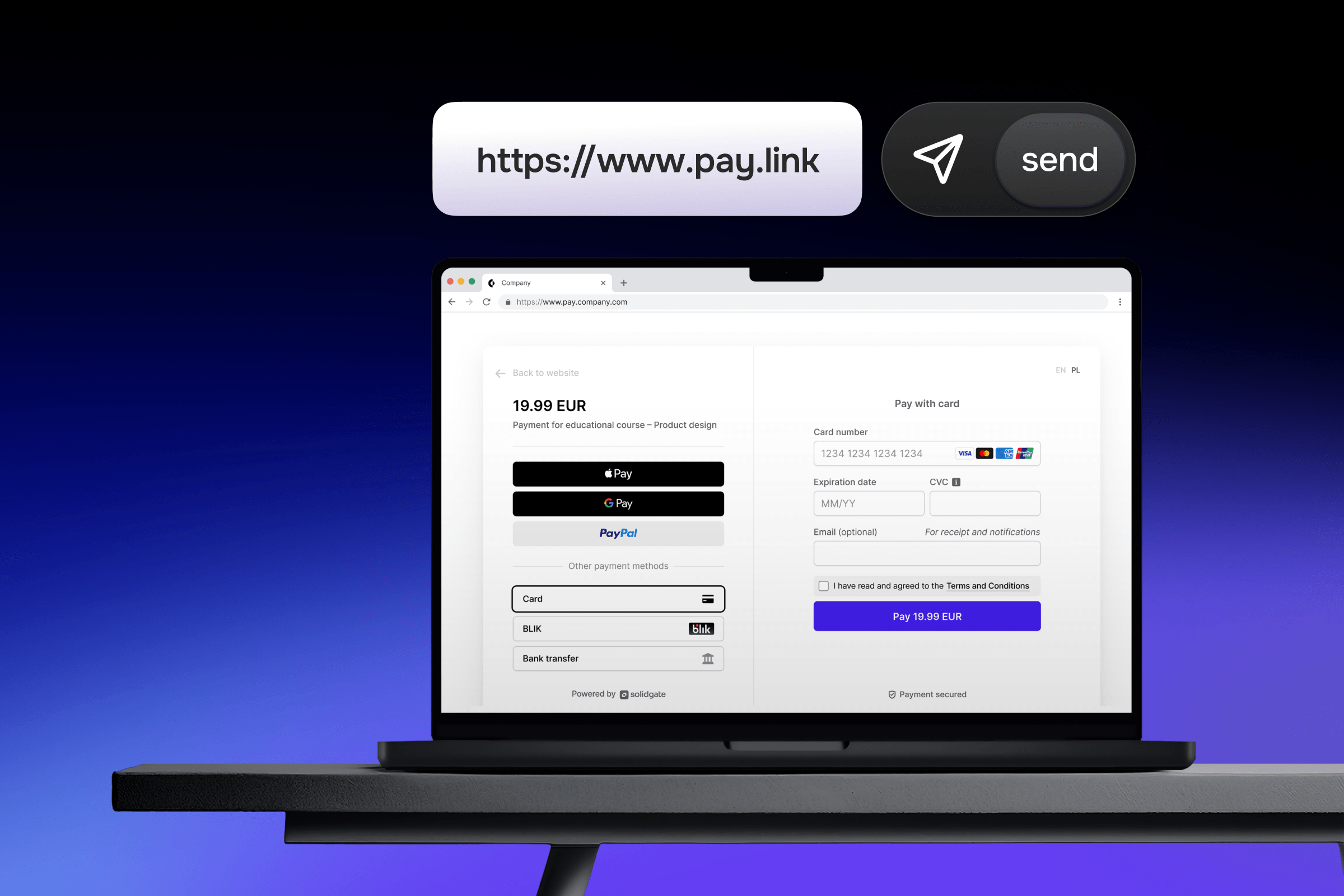
A is a secure URL, button, or QR code that takes a buyer directly to a checkout page. That's it. No website required. No complex integration. No shopping cart system. Just a link that handles the payment.
You create the link, share it via any communication channel, and your customer clicks or scans it; they then enter their payment details on a secure page, and the transaction is processed. Money moves from their account to yours through the same infrastructure that powers traditional online payments.
Depending on the provider, payment links can support multiple payment methods, including:
- Card payments
- Digital wallets like Apple Pay and Google Pay
- Local payment methods
How does a payment link work?
Payment links follow a straightforward process that takes just four steps:
- Create the payment link: You create a payment link through your payment provider or gateway. This usually takes a few minutes and requires no coding. You specify the amount, currency, and what you're selling.
- Share the link: Once the payment link is created, you can send it to the customer via any communication platform you use – email, SMS, WhatsApp, social media, or even on a printed invoice.
- Customer clicks and pays: They click or scan to open a secure checkout page. They choose their , fill in their details, and confirm. The page is hosted by the payment provider, so you don't maintain any payment infrastructure yourself.
- Payment processing: The transaction runs through the standard payment network (the same gateways, acquirers, and card networks that power traditional e-commerce). Funds land in your merchant account like any other online payment.
Single-use vs. reusable links
There are different payment link types depending on your needs:
- Single-use links work for one transaction and then expire. Good for specific invoices or custom quotes where each customer pays a different amount.
- Reusable links stay active and can handle multiple payments. Useful if you sell the same product or service repeatedly at a fixed price.
- Recurring payment links set up subscription-style billing, where customers authorize regular charges. Handy for memberships, monthly services, or installment plans.
Most payment providers let you customize what each payment link includes: the amount, currency, product description, customer reference numbers, and invoice metadata. Some even let customers enter their own payment amount, which works well for donations or tips.
Payment link pros and cons
Payment links work well for specific use cases, but they have limitations. Understanding both sides helps you decide whether they're the right fit for your business model.
Pros
- Fast setup: Payment links are quick to generate – no coding required, no design work, no testing across different browsers. The payment provider handles all the technical details. You can start collecting payments in minutes.
- No website needed: Payment links don't require a full e-commerce platform. If you don't need an entire shopping cart system, this is a cost-effective way to accept payments.
- Multi-channel payment collection: They can be shared via any channel, making them perfect for businesses that sell across social media, newsletters, WhatsApp or Telegram, SMS, and more.
- Global reach: Many payment providers that offer payment links support multiple currencies and international payment methods, which is ideal for businesses with global customers.
- Easy for customers: Customers can pay instantly by clicking a link and filling out their payment details on a secure page. No account creation, navigating through multiple pages, or filling out shipping addresses if you're selling digital services. This reduces friction and improves conversion rates.
- Accessible for one-time and irregular sales: Links are useful for custom quotes, project-based work, ad-hoc services, and one-off sales that don't fit neatly into product catalogs and shopping carts.
- Recurring payment support: Many payment providers support recurring payments. You can set up a payment link that authorizes regular charges for subscriptions, memberships, or installment plans.
Cons
- Limited functionality: Payment links don't offer the customization that more advanced systems do. While you’ll have some control over branding and user checkout experience, it’s still limited.
- No integration with full e-commerce systems: If your business relies on features like inventory management, product catalogs, or customer profiles, payment links won't offer the level of integration needed for these processes.
Payment link vs. payment form: Key difference
While both payment links and payment forms facilitate online payments, they serve different business needs and offer distinct levels of functionality.
Payment links direct customers to a simple payment page via a URL. They work well for businesses with occasional transactions, custom pricing, or no need for a full checkout experience.
Payment forms integrate directly into your website and provide a full checkout experience, offering customization, a complete recurring billing suite, and integration with other systems such as CRM and inventory management.
Top payment link providers with global reach
The right payment link provider depends on your business model, transaction volume, and geographic reach. Here are some of the top providers with global capabilities, each offering unique features for different business needs.
Solidgate
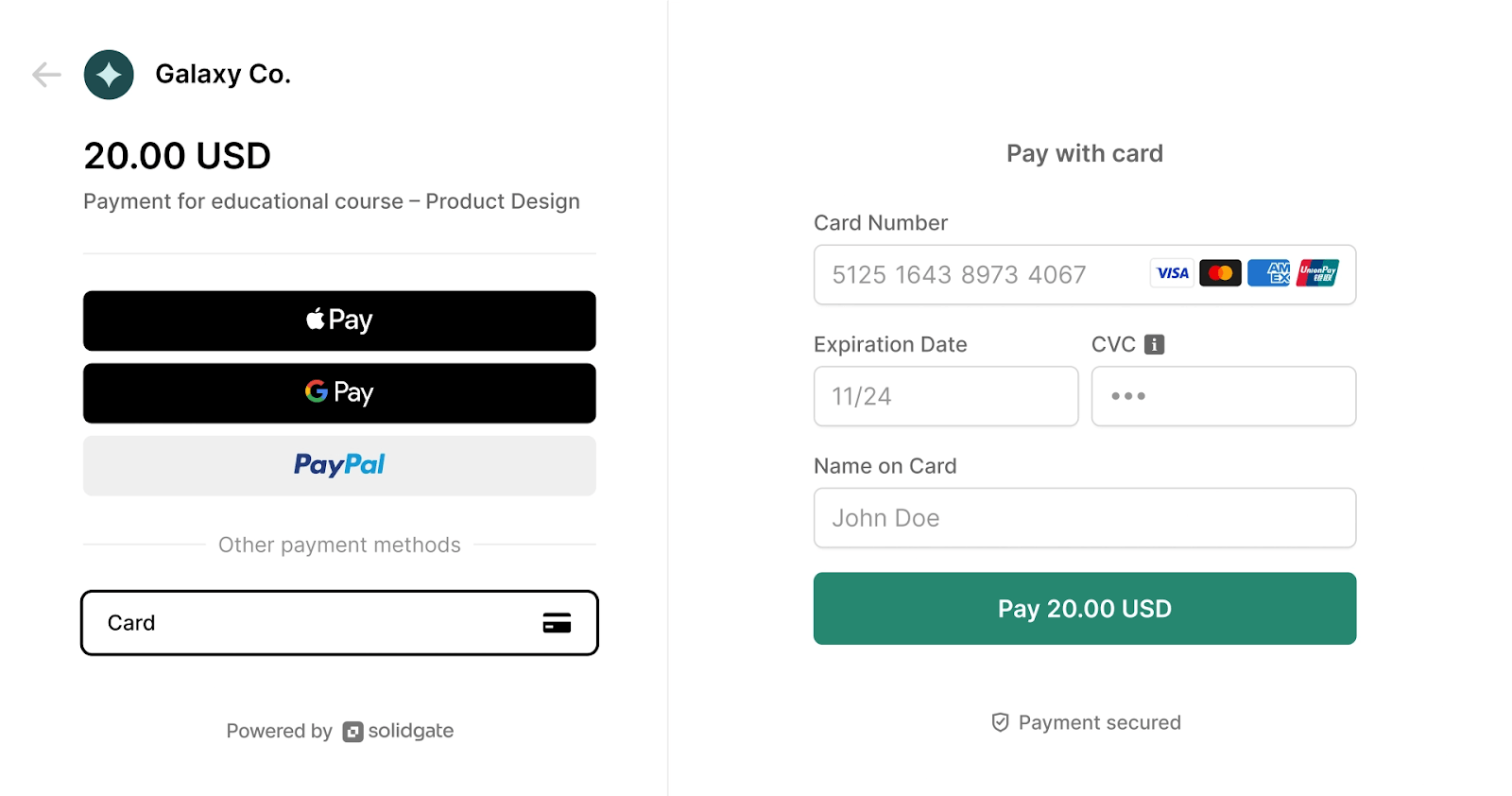
Solidgate offers a payment orchestration platform that integrates as part of a broader payment strategy. Solidgate supports multiple payment methods, fraud protection, and analytics, making it suitable for growing global businesses.
Solidgate
Best for: Businesses looking to scale with integrated payment solutions, companies requiring global payment support and recurring billing, and businesses with cross-border transactions or high-volume sales.
Key capabilities:
- Conversion-optimized checkout: Lightning-fast checkout experience designed to reduce friction, with cards, one-tap digital wallets (Apple Pay, Google Pay), and local payment methods that match each market's preferences.
- Smart routing: Optimizes payment processing across multiple connectors for cost and acceptance. Automatically routes transactions to maximize approval rates.
- Global coverage: Supports 150+ currencies and 20+ languages, with built-in tax collection for the USA and EU to handle compliance automatically.
- Flexible payment flows: Handles subscriptions, open amounts (donations, tips), and both single-use and reusable links. Create one link for recurring customers or generate unique links per transaction.
- Security and compliance: PCI DSS v4.0-compliant platform with support for SCA exemptions and biometric authentication. Built-in fraud prevention tools to reduce chargebacks.
- API and no-code options: Generate links instantly via Hub for quick payments, or use the API to create and manage thousands of links programmatically for enterprise-level automation.
Wise (formerly TransferWise)
Wise offers international payments and supports multiple currencies, making it a solid choice for businesses dealing with international customers. Their payment link feature allows businesses to request payments globally with minimal fees.
Best for: International transactions and low-fee global payments, and businesses looking for multi-currency support.
Key capabilities:
- Low transaction fees: Transparent, low-cost fees for international payments.
- Fast transfers: Quick transfer times compared to traditional banks.
Stripe
Stripe is a widely used payment platform that supports payment links, and it integrates well with websites and mobile applications. Known for its developer-friendly features and global reach, Stripe is ideal for businesses that need flexibility.
Best for: Global businesses with high transaction volumes and developers needing easy integration with custom systems.
Key capabilities:
- Easy integration: A developer-friendly platform that integrates with custom websites and mobile apps.
- Advanced features: Supports subscription billing, fraud detection, and more.
PayPal
PayPal is one of the most well-known payment providers and offers payment links as part of its broader suite of services. It works well for businesses looking for a simple solution for one-time payments, especially in consumer-facing industries.
Best for: Freelancers, e-commerce businesses, and small businesses that need a quick payment solution, and international transactions with established payment methods.
Key capabilities:
- Trusted by millions: PayPal is one of the most widely recognized and trusted names in online payments.
- Security: Robust buyer and seller protections, including fraud prevention tools.
Square
Square provides a simple way for businesses to generate payment links and process payments without needing an entire e-commerce site. It also offers integrated solutions for point-of-sale systems.
Best for: Small businesses and retailers that need a multi-channel payment solution, and businesses that want an all-in-one payment system for both online and offline sales.
Key capabilities:
- Simple setup: Quick to get started with no technical skills required.
- Integrated POS: Combines online and offline sales in one system.
How to choose the right payment link provider
Selecting a payment link provider isn't about finding the one with the longest feature list. Ensure the capabilities align with your actual business needs. Here's what separates a good fit from a poor one.
Coverage of payment methods
Your customers decide how they want to pay, not you. The provider you choose needs to support their preferences, or you'll lose sales. Essential coverage includes:
✅ Major credit and debit card networks (Visa, Mastercard, Amex)
✅ Popular digital wallets (Apple Pay, Google Pay, PayPal)
✅ Regional payment methods relevant to your markets (iDEAL in the Netherlands, BLIK in Poland, PIX in Brazil)
✅ Alternative options like buy-now-pay-later or bank transfers for higher-value B2B transactions
Missing even one popular payment method in your target market can cost you 10-20% of potential conversions. Check provider coverage against where your customers are and how they typically pay.
Adoption by non-technical teams
Developer-friendly doesn't mean business-friendly. If your finance or sales team can't generate a payment link without engineering support, you've created a bottleneck. Evaluate whether:
✅ The interface makes sense to someone who doesn't write code
✅ Link creation takes minutes, not hours
✅ Templates or presets exist for common payment scenarios
✅ The learning curve is short enough that new team members can get productive quickly
Complex tools that require constant IT involvement tend to get abandoned. Choose something your team will actually adopt.
System integration depth
Payment links generate data-transaction records, customer information, and payment status. That data needs to flow into your existing systems without manual copying and pasting. Look for native integrations or API support for:
✅ Accounting platforms (QuickBooks, Xero, NetSuite)
✅ CRM systems (Salesforce, HubSpot, Pipedrive)
✅ ERP software for enterprise operations
✅ Business intelligence and reporting tools
Strong integrations mean automatic reconciliation, fewer data entry errors, and real-time visibility into your payment operations. Weak integrations mean someone on your team manually updating spreadsheets.
Total cost structure
Transaction fees are only part of the picture. To understand true costs, you need to account for:
✅ Base transaction fee (percentage + fixed amount per transaction)
✅ Surcharges for premium card types or specific payment methods
✅ Currency conversion fees for international payments
✅ Monthly or annual platform fees
✅ Charges for premium features like advanced reporting or priority support
✅ Volume discounts that kick in at higher transaction levels
Calculate the total cost based on your actual payment mix and volume. A provider with a 2.5% base rate but high surcharges might cost more than one with a 2.9% rate and no extras.
Security standards and fraud protection
Payment security isn't optional. Any provider you consider must meet baseline security requirements:
✅ PCI DSS Level 1 compliance (the highest security standard)
✅ Data encryption in transit and at rest
✅ 3D Secure authentication support for card payments
✅ Built-in fraud screening or risk scoring
✅ Clear data handling policies and breach notification procedures
Beyond compliance checkboxes, look at practical fraud prevention features. Does the provider flag suspicious transactions? Can you set custom rules? Do they handle chargeback disputes? Security failures don't just cost money-they damage customer trust.
Growth capacity
Your payment needs change as your business grows. The provider you pick today should handle your needs two years from now without forcing a painful migration. Consider:
✅ Transaction volume limits and how much headroom you have
✅ Support for additional currencies and international expansion
✅ Recurring billing capabilities if you add subscription products
✅ Multi-user access with role-based permissions as your team grows
✅ Advanced analytics and reporting as you need more sophisticated insights
Starting with a scalable platform costs slightly more upfront, but saves you from switching providers mid-growth.
Quality of support
When payments fail, you need answers fast. Support quality varies dramatically across providers. Evaluate:
✅ Availability (24/7 vs. business hours only)
✅ Response channels (phone, email, chat)
✅ Dedicated account management for larger clients
✅ Self-service resources (documentation, guides, troubleshooting)
✅ Average resolution time for technical issues
Read reviews from current customers about their support experiences. A great product with terrible support becomes a liability when something breaks.
Best practices for using payment links
Creating payment links is straightforward. Using them effectively requires more thought. Here's how to avoid common mistakes and maximize results.
Create on-brand checkout experience
Generic checkout pages make customers nervous. When someone clicks your payment link, they should immediately recognize your business. Basic brand consistency includes:
✅ Your company logo at the top of the payment page
✅ Brand colors that match your website or marketing materials
✅ Company name clearly displayed
✅ Consistent tone in payment confirmation messages
Providers like Solidgate let you customize the entire checkout flow, including post-payment pages and email receipts. Use these options to create a cohesive experience from link click to payment confirmation.
Run internal tests before customer deployment
Broken payment links damage credibility and cost you sales. Before sharing any link with customers, verify:
✅ The link works on iOS and Android mobile devices
✅ Desktop browsers (Chrome, Safari, Firefox, Edge) all load the page correctly
✅ Each payment method processes test transactions successfully
✅ Confirmation emails arrive with accurate information
✅ The correct amount appears, including any taxes or fees
Internal testing catches problems when they're easy to fix. Customer-facing issues require damage control.
Provide complete payment context
Customers hesitate when they don't understand what they're paying for. Every payment link should include:
✅ Clear description of the product, service, or invoice being paid
✅ Itemized breakdown showing base price, taxes, and any additional fees
✅ Your refund or cancellation policy if applicable
✅ Expected delivery or fulfillment timeline
✅ Contact information if they have questions
Transparency reduces payment abandonment and customer service inquiries. When people know exactly what they're buying and what to expect, they complete payments faster.
Connect payments to your financial systems
Manual payment tracking creates errors and wastes time. Automate wherever possible by:
✅ Linking your payment provider to your accounting software
✅ Setting up automatic invoice matching and reconciliation
✅ Configuring webhooks or API connections for real-time payment updates
✅ Using payment metadata to track which campaign, salesperson, or product generated each transaction
Automated workflows mean your finance team spends less time on data entry and more time on analysis. They also reduce the reconciliation errors that cause accounting headaches.
Establish clear team workflows
Payment link chaos happens when everyone creates links differently. Standardize your approach:
✅ Document who's authorized to create payment links for different transaction types
✅ Create templates for common payment scenarios (invoices, deposits, subscriptions)
✅ Set naming conventions so you can identify links later
✅ Define escalation paths when payments fail or customers report problems
✅ Schedule regular team training as processes or tools change
Clear workflows prevent confusion, especially when you onboard new team members or scale operations.
Track metrics that matter
You can't improve what you don't measure. Set up regular reviews (monthly or quarterly) to analyze:
✅ Link usage volume and trends over time
✅ Payment completion rates (how many people who click actually pay)
✅ Average time from link creation to payment
✅ Failed payment reasons (declined cards, technical errors, abandoned checkouts)
✅ Performance differences across payment methods or customer segments
These insights reveal bottlenecks in your payment flow and opportunities for improvement. Maybe certain payment methods have higher completion rates. Maybe links sent via email convert better than SMS. Data tells you what's working.
Maintain security discipline
Your provider handles PCI compliance, but your team still needs good security habits:
✅ Share payment links only through secure, authenticated channels
✅ Avoid embedding payment links in public posts or unencrypted emails
✅ Train staff to recognize phishing attempts that impersonate your payment pages
✅ Regularly audit who has access to create and manage payment links
✅ Rotate API keys and credentials periodically
✅ Monitor for suspicious activity like unusual transaction volumes or locations
Your payments are only as scalable as your payment stack
Solidgate is a payment orchestration platform that goes beyond just payment links. We provide a scalable payments infrastructure that integrates customizable , smart routing, , fraud prevention, chargeback management, and more, offering a comprehensive solution for businesses ready to scale.
With Solidgate, businesses can accept payments globally, optimize for cost and acceptance rates, and protect against fraud - all through one unified platform. Whether you're processing one-time payments or recurring subscriptions, Solidgate simplifies your payment stack, boosts conversion rates, and reduces operational overhead.
Looking to scale your payments? Explore Solidgate today and see how we can help optimize your payment processes.
Frequently asked questions
A payment link is a secure URL, button, or QR code that directs customers to a checkout page. It requires no website, shopping cart, or complex integration. Simply create the link, share it, and customers can easily make a payment.
Creating a payment link is simple. You generate the link through your payment provider or gateway by specifying the payment amount, currency, and what you're selling. It takes just a few minutes and requires no coding.
A QR code is a scannable image that takes customers to the payment page, while a payment link is a clickable URL shared via text, email, or other platforms. Both serve the same purpose but are used in different ways.